Hand Tracking (XR Hands)
WEAVR supports hand tracking through the Unity XR Hands package, so users can interact with the virtual environment with their bare hands instead of controllers. The same interaction logic used with controllers is reused for hand input, so grabbing and interacting with objects work consistently in both modes.
The hand model
A dedicated 3D hand model is animated from the data provided by XR Hands. The model uses geometry optimized at the articulation points so the fingers bend naturally without distortions, and its skeleton follows the XR Hands standard for fast integration.
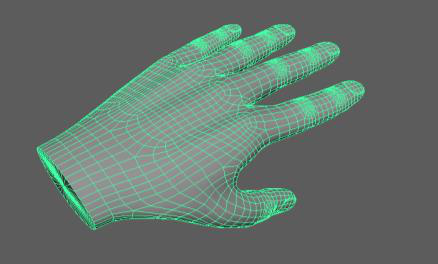
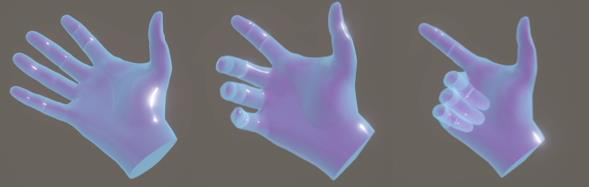
A custom shader keeps the hand semi-transparent and adapts to the user's view, blending with the camera image and its depth, so the hand looks consistent even when the mesh overlaps or distorts during movement.
Grabbing with hands
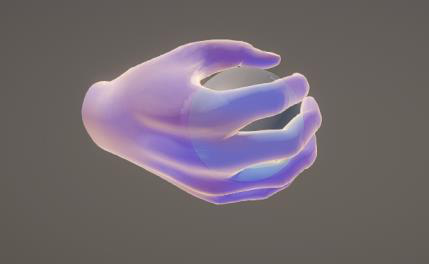
When hand tracking is active, the HandInteractor reads the hand pose, scans the colliders of interactable objects touched by the fingers, and updates their state. It then uses the grab formula to decide when a touched object can be grabbed. Several safeguards prevent accidental grabs caused by the large freedom of movement of a tracked hand:
- A touch is considered invalid if the object is on the upper side of the finger.
- Collider scanning is paused for a finger that is already locked on the surface of a grabbed object.
- Releasing an object is made smoother, and a force release gesture (all fingers fully extended) releases an object regardless of the grab formula — useful to recover from glitches such as a finger penetrating the model of a grabbable object.
To keep the release responsive even when some fingers are temporarily occluded from the headset cameras, only the thumb, index and middle fingers are required to validate the grab formula.
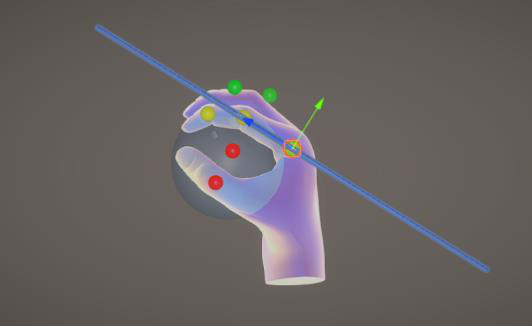
Each tracked joint is assigned a movement state — Holding, Idle or Releasing — by comparing the last pose applied to the virtual model with the latest reading from the hand-tracking provider.
Gesture recognition
From version 1.4.0 of the XR Hands package it is possible to define and recognize static gestures, by comparing the user's hand shape and orientation with a hand pose defined at design time (using building blocks such as finger shape — full curl, base curl, tip curl, pinch — and hand orientation).
WEAVR extends this with dynamic poses that combine several static poses to recognize the different states of a gesture:
| State | Description |
|---|---|
| Entry Pose | When recognized, raises the Gesture Started event. |
| Perform Pose | When recognized after the entry pose, raises the Gesture Performed event. |
| Constraints | A pose that must keep being recognized for the whole duration of the gesture; otherwise the Gesture Cancelled event is raised. |
This is used, for example, for teleport movement: the entry pose (all fingers closed except the thumb and index, which are extended, with the thumb pointing up) activates the teleport ray, and a pinch then confirms the destination.
Switching between hands and controllers
An Input Manager handles switching between input modes during a session. Input providers implement a common interface (IControllerProxy) and declare whether they drive the hand by a normalized bend value (Bend driven, e.g. a controller trigger) or by the full skeleton data (SkeletonData driven, e.g. hand tracking). When a provider acquires tracking it becomes the active one and starts feeding data to the hand. This design makes it easy to add new input providers in the future.