Users & Groups
Users
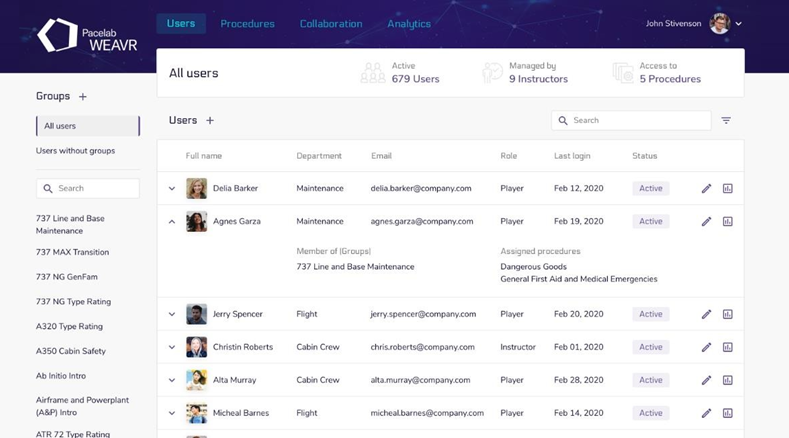
The Users page allows you, depending on your role, to manage the users inside your company.
The available roles are:
- Admin = can create and manage all user roles; manage and create procedures and groups.
- Manager = created only by an Admin; can invite, delete, manage the users; create new instructors; assign and add procedures.
- Instructor = created by the Manager or Admin, can assign procedures to the group users that he is assigned and edit them.
- Creator = it manages the procedures inside the WEAVR Manager, but he cannot assign it to users.
- Player = the base user, can see its assigned procedures, its analytics, the groups to which it is assigned.
Inside the Users page, you have the list of all the users of your Manager system. On the left you can see the groups, select them, and see the users who are assigned to that group.
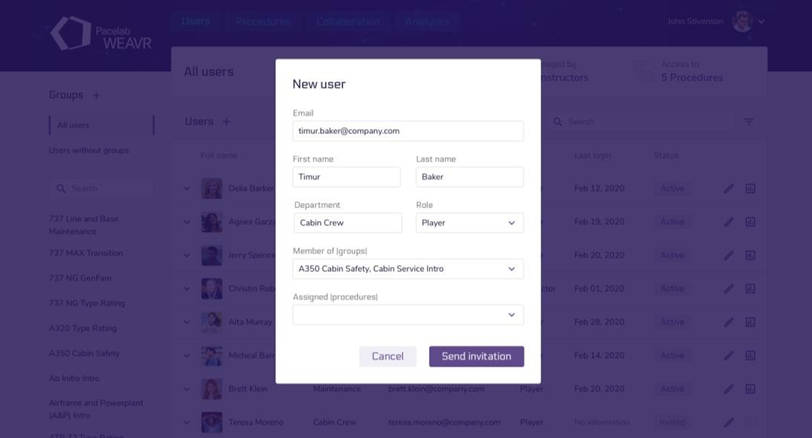
As a Manager or Admin, you can manage each user of different role, and by clicking on the [+] icon, you can invite new users. They will receive an email with a link that will take them to the registration page.
Groups
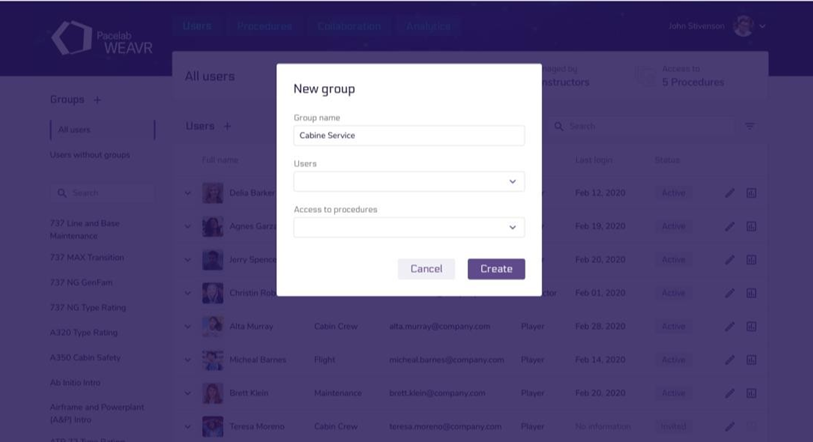
As a Manager or Admin, you can create new groups. Click on the [+] icon, choose a name and assign users to it.