Area Manager
Go to WEAVR > Utilities > Area Manager.
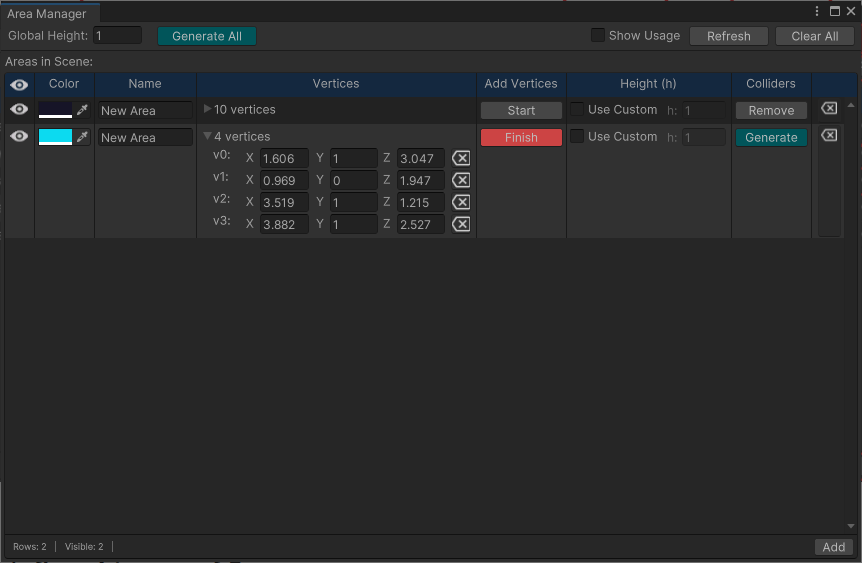
The Area Manager tool allows you to create and define 3D areas (colliders) within the Unity scene.
Creating an Area
To create a new area:
- Click on Add to create a New Area, with 0 vertices.
- Click on Start to draw a polygon, vertex by vertex.
- Click on the scene view to place a vertex over the first surface encountered.
- Click on Finish to stop the drawing process.
- Change the height of the colliders through Global Height.
- You can use a custom height for each area checking Use Custom.
- Click on Generate to obtain the custom-shaped collider in the scene.