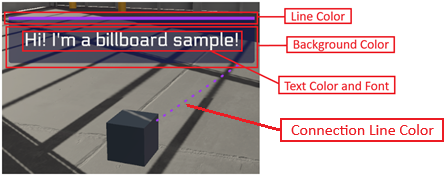
Billboard Themes
Go to WEAVR > Setup > Billboard Themes.
The Themes tool allows you to customize the Billboards used in your procedure.
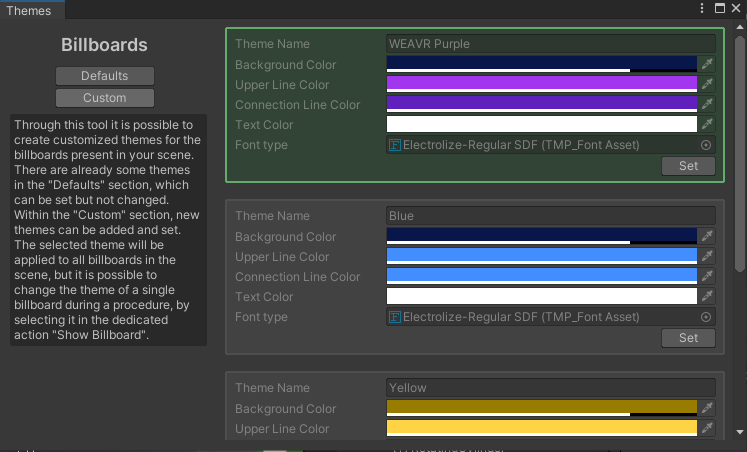
The window consists of two sections:
- Default — it contains default themes that can be set but not modified.
- Custom — where you can create and set new themes.
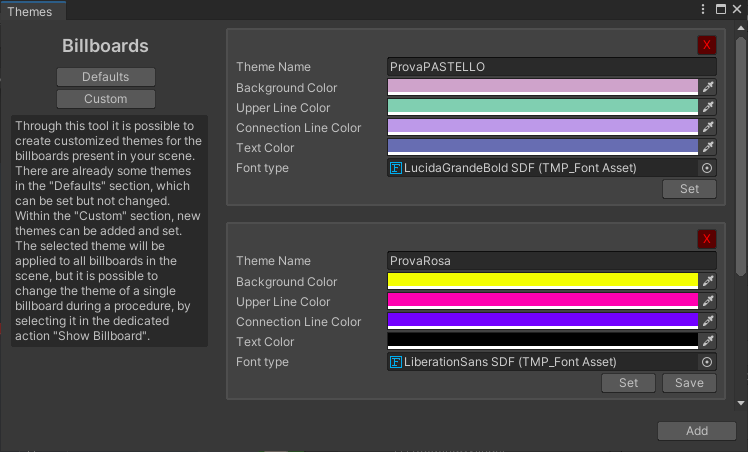
Click on the Add button to create a new theme, set the desired colors, and save it. Then you can set it. You can remove a custom theme by clicking on the [X] button.
The following image specifies the customizable components of the billboard.
note
WEAVR Billboards use TMP Font as the text font. To generate a TMP font, follow the instructions on the package site.