Utilities
Utilities are components that add features to the scene. In this section you will learn about the following components:
- Value to String
- Generic Timer
- Scene Time
- Counter
- Teleport Area
Value to String
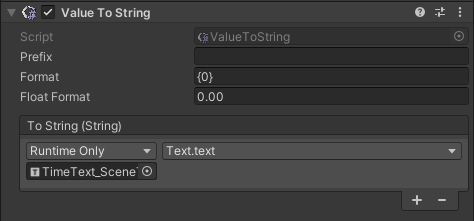
The Value to String component allows printing the indicated string on a GameObject text component.
| Property | Function |
|---|---|
| Prefix | Define a string that is used as a prefix of the floating string text. |
| Format | Define how to format the incoming GameObject texts. For example, {0} shows the first text parameter of the incoming GameObject in quotes, while {0} {1} shows the first text parameter of the incoming GameObject in quotes followed by the second text parameter. |
| Float Format | Define how to format float numbers. |
Generic Timer
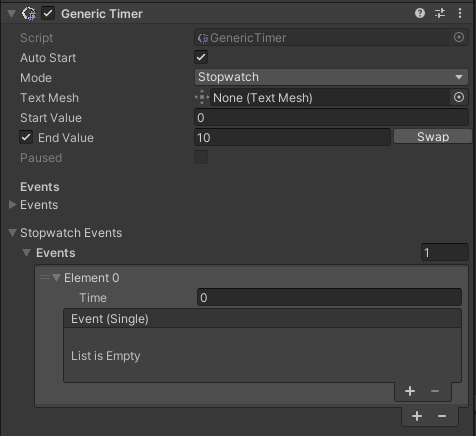
The Generic Timer component tracks the passing time and, if required, triggers events as the time goes by.
To visualize time on text, a formatting component is mandatory: Value To String, Timer Formatter, or Time Text.
| Property | Function |
|---|---|
| Auto Start | If enabled, the timer starts in Play mode. |
| Mode | Timer = triggers an event only when the End Value is reached. Stopwatch = triggers events when it reaches indicated time values. |
| Text Mesh | Text component on which the timer is printed. |
| Start Value | Timer start value. |
| End Value | If enabled, timer end value. To switch the start and end values, click Swap. Both modes allow tracking the passing time by incrementing or decrementing it. |
| Paused | Debug parameter that shows if the timer is paused. |
| Stopwatch Events | Events that are triggered when a certain time is reached. |
Scene Time
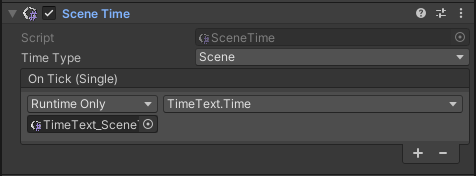
The Scene Time component traces the passing time according to the selected time type.
| Property | Function |
|---|---|
| Time Type | Type of the timer. Component = time starts when the component is activated. Scene = time starts when the scene is loaded. Application = time starts when entering play mode. Current = current daytime. |
Counter
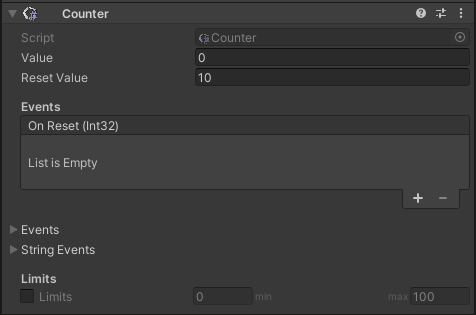
The Counter component is used as a counter that increments or decrements by an event or procedure whenever the required condition occurs.
| Property | Function |
|---|---|
| Value | Current value of counter. |
| Reset Value | Reset value of counter. |
| Limits | If enabled, enter the minimum and maximum counter values. |
Teleport Area

The Teleport Area components sets the GameObject as a teleport space for VR experiences. The GameObject's layer must be set to TeleportArea.
| Property | Function |
|---|---|
| Disable When Teleport | Disable the Teleport Area GameObject after teleporting. |