Impact System
These components allow you to add features to colliders when impacted.
In this section, you will learn about the following components:
- Hit Absorber
- Hitting Object
- Impact Object
- Object Material
Hit Absorber
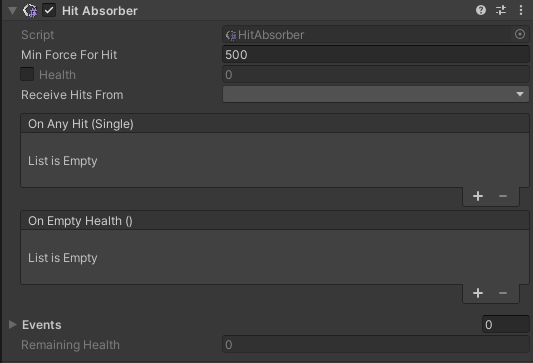
This component allows you to define an object that can be hit. (Example: a rock).
| Property | Function |
|---|---|
| Min Force For Hit | Min force to be considered a hit |
| Health | Total force to receive to raise the event |
| Receive Hits From | Tag related to the objects that can hit the target |
| On Any Hit – Empty Health | Unity Events |
| Events | Custom Events |
| Remaining Health | Remaining health of the object |
Hitting Object
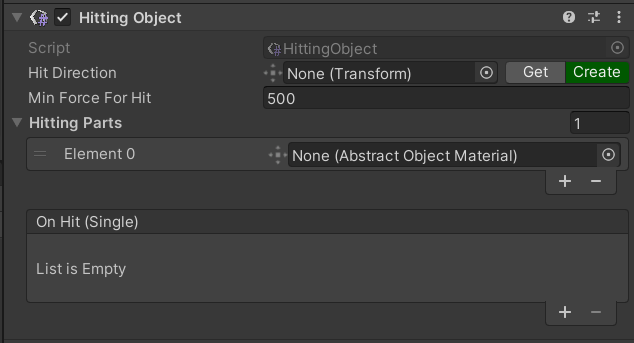
This component defines a hitting object, like an axe.
| Property | Function |
|---|---|
| Hit Direction | Transform related to the hit direction |
| Min Force for Hit | Min force to be considered a hit |
| Hitting Parts | List of parts with which the object can hit |
| On Hit | Unity Event |
Impact Object
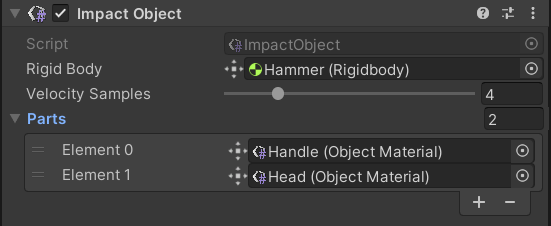
The Impact Object component manages the Object Material component. It is necessary for the impact system to work.
warning
If the object is grabbed, then it will not emit any sound.
| Property | Function |
|---|---|
| Rigid Body | Rigidbody component of the object |
| Velocity Samples | When the Rigid Body property is kinematic, this is the fallback value that is used for the impact |
| Parts | List of Object Materials related to this impact object |
Object Material
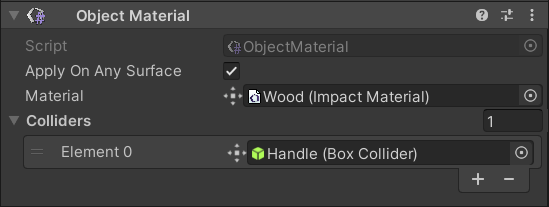
The Object Material component assigns a behavior in terms of sound and physics to the list of colliders when they hit other colliders. The component should be referred by the Impact Object component in a scene.
| Property | Function |
|---|---|
| Apply on Any Surface | If enabled, it behaves with any collider. Otherwise, it behaves only with other Object Materials |
| Material | Impact Material that is assigned to colliders |
| Colliders | List of colliders with the impact material component |