Import / Export Procedure (JSON)
WEAVR can export a procedure to a JSON file and import it back. This is useful to share a procedure as a single human-readable file, to version it outside Unity, or to move it between projects.
This is different from Procedure Build, which packages the procedure into an asset bundle for upload to the WEAVR Manager. Import/Export works with a plain JSON representation of the procedure graph.
Export
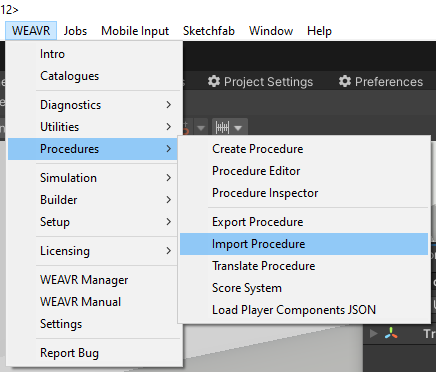
Go to WEAVR > Procedures > Export Procedure to open the export window. Select the procedure you want to export and start the export.

The procedure is serialized into a JSON file that contains its complete definition: name, description, language info, execution modes, variables, nodes, transitions, groups, starting nodes, flow start nodes, actions and exit conditions. Complex Unity data (such as GameObject references) are stored in a string-based representation so the objects can be reconstructed on import.
Import
Go to WEAVR > Procedures > Import Procedure. A file dialog opens so you can choose the JSON file to load; the import then rebuilds the procedure.
Before importing, the selected file is validated against a dedicated JSON Schema to ensure it is well-formed and contains all the required sections. If the file is valid, the procedure is recreated from its contents.
When importing a procedure into a different project, make sure the scene contains the objects referenced by the procedure (by name and path), otherwise some references may not be resolved.