Translate Procedure
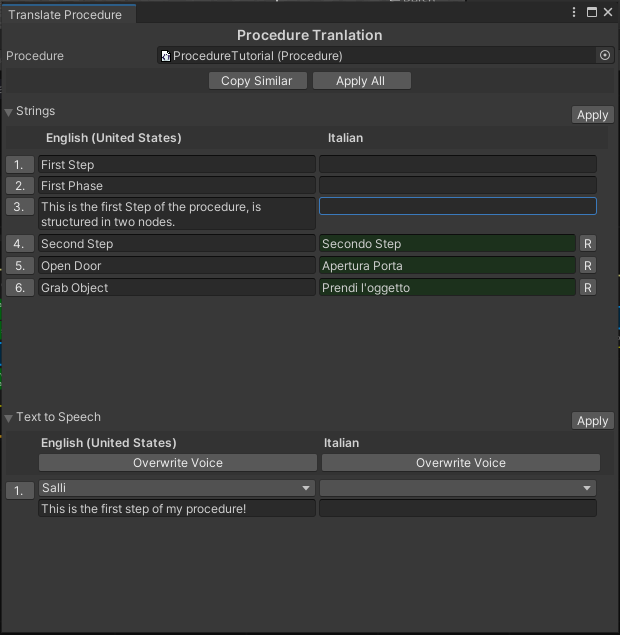
The Translate Procedure tool allows you to edit all text strings and Text to Speech messages present in the procedure.
You can find this tool in WEAVR > Procedures > Translate Procedure, and inside the Procedure editor tab, next to the Build button.
How to Translate
After selecting a procedure, you will see all the texts and Text to Speech of your procedure. The languages that you will find are the ones that you selected when creating the procedure.
Write the translation of the sentences you are interested in; the modified ones will have a green background. When you are done editing, click the Apply button to apply the new strings. If you click on the R button, the string is reset.
Text to Speech
In the Text to Speech section, in addition to editing the messages, you can also edit the voices in all messages by clicking on the Overwrite Voice button. When you are done with the changes, click the Apply button to apply them.